
Flows
Create a Flow
Section titled “Create a Flow”A Flow in JustAI lets you group multiple messages (across channels and campaigns) into a single, cohesive journey so you can optimize, measure, and learn at scale.
With Flows, you can:
-
See aggregated metrics across an entire journey
View performance for multiple messages in one place.
-
Analyze cross-channel and cross-campaign performance
Mix and match emails, push notifications, and SMS messages to understand how different combinations perform together.
-
Quickly identify top performers and underperformers
Instantly spot winning messages to scale—and underperforming ones to pause, archive, or improve.
Flows give lifecycle marketers a higher-level view of performance, making it easier to optimize entire journeys, not just individual messages.
1) Create a new Flow
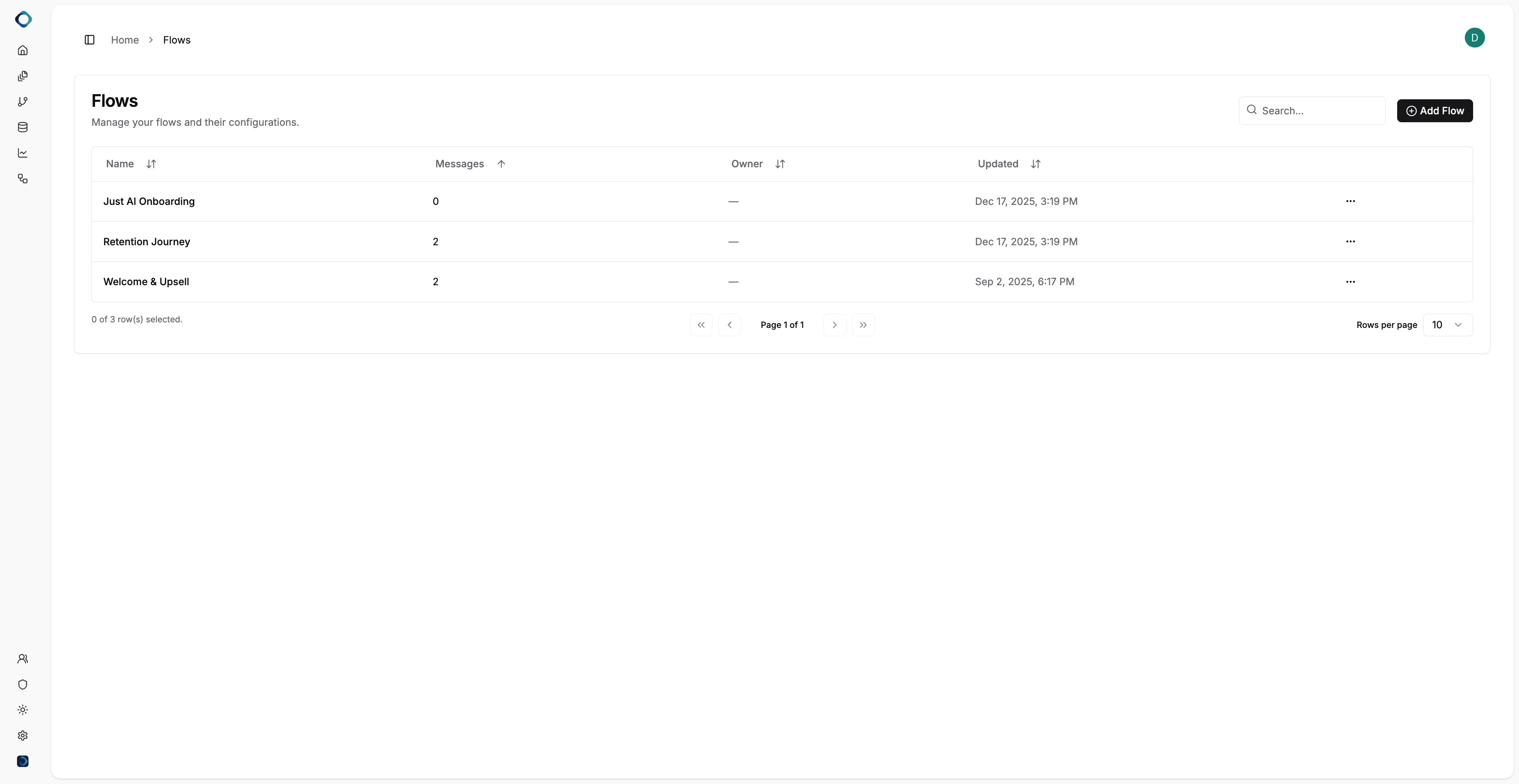
Section titled “1) Create a new Flow”- From Home, navigate to the Flows tab: You’ll see a list of all flows you’ve previously created.
- Click Add a Flow in the top-right corner.
2) Add messages to the Flow
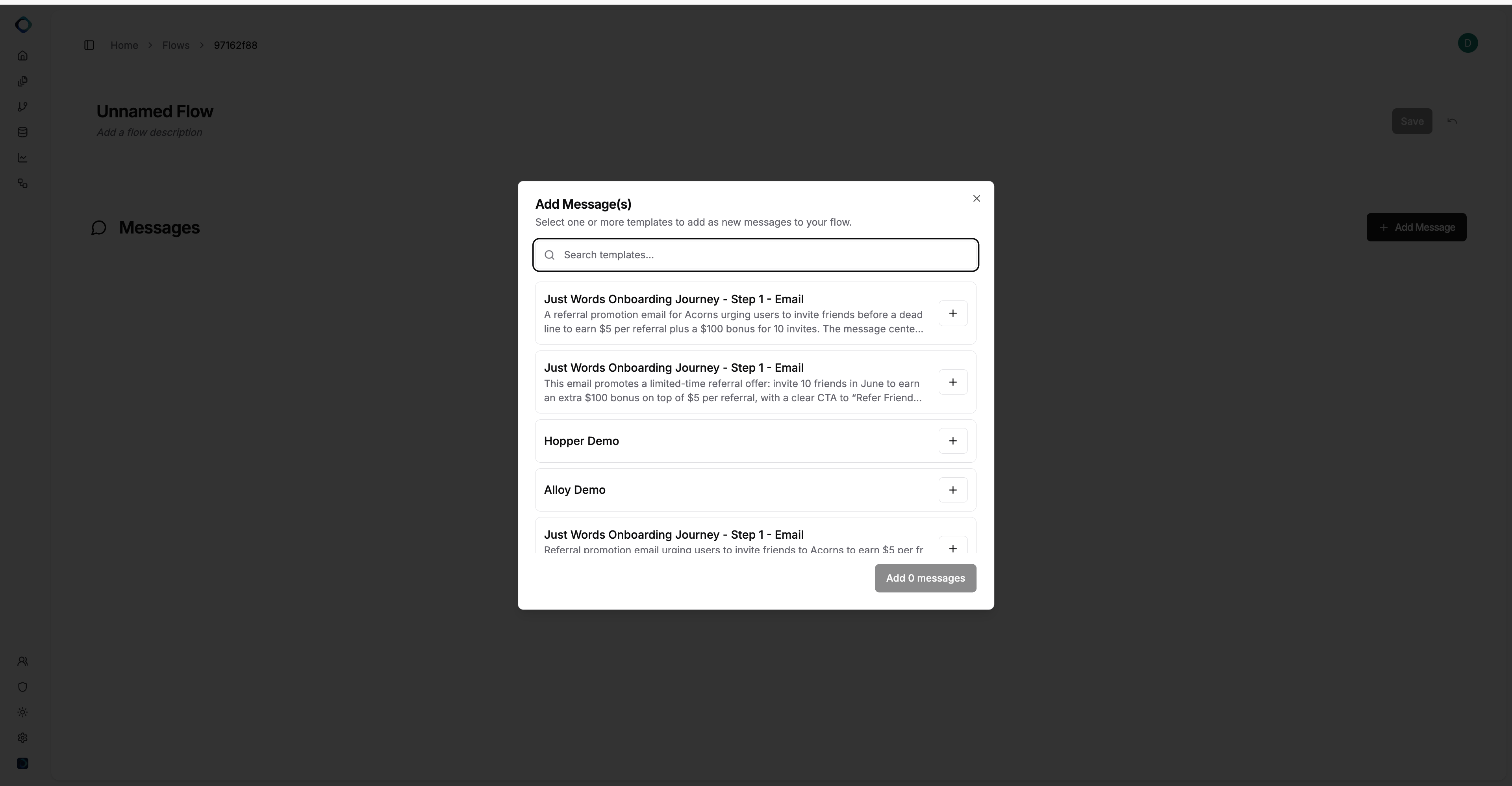
Section titled “2) Add messages to the Flow”Add Message(s) modal will open.
- Use the dropdown to search for and select one or more messages (templates) to add to your flow.
- You can add messages from any journey or campaign—flows are flexible and not limited to a single journey.
- As you select messages, they’ll be added to your flow.
Best practice
Section titled “Best practice”While you can mix messages from different journeys, we recommend adding messages from the same journey whenever possible. This makes it easier to:
- View performance at a journey level
- Compare results across steps in a single lifecycle experience
- Identify and extract learnings at a journey level, not just per message
- Identify top performers and underperformers more clearly
3) View Flow-Level Metrics
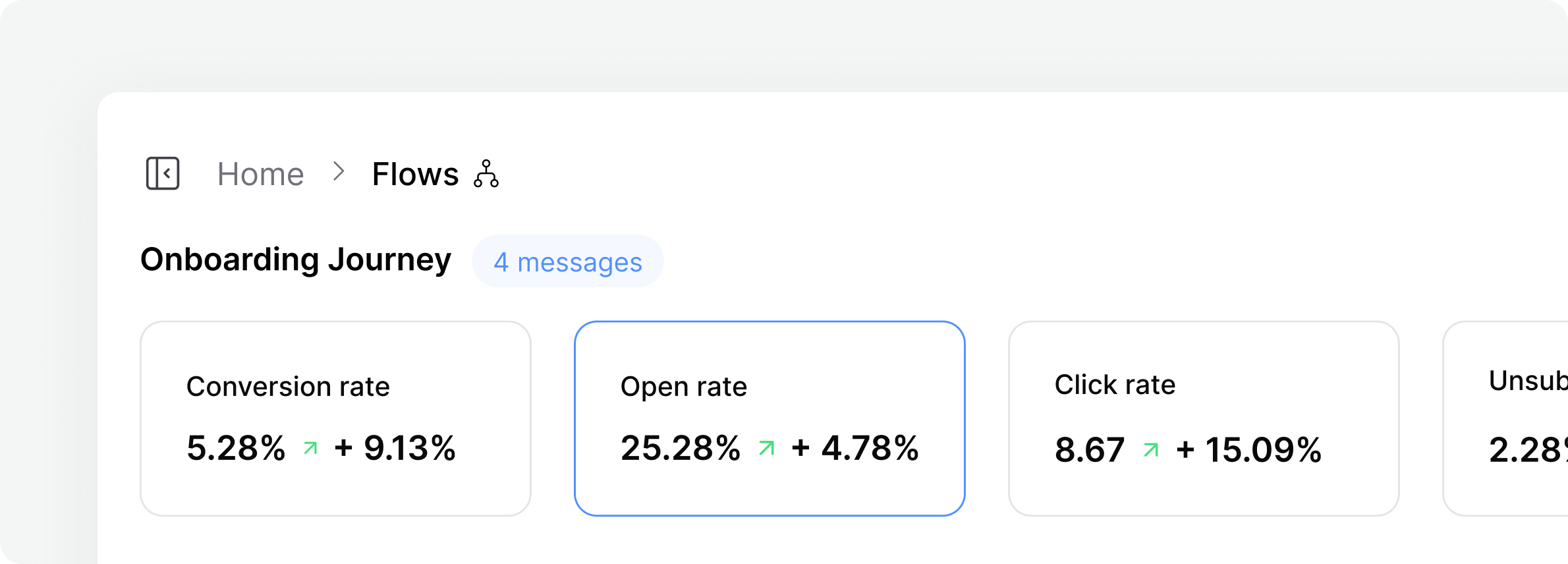
Section titled “3) View Flow-Level Metrics”After adding messages to your flow, you’ll see aggregated performance metrics at the top of the page.
These metrics combine results across all selected messages, giving you a single view of how the flow is performing overall, across campaigns and channels.
This makes it easy to understand performance at a glance before digging into individual messages.
4) Review Message-Level Performance
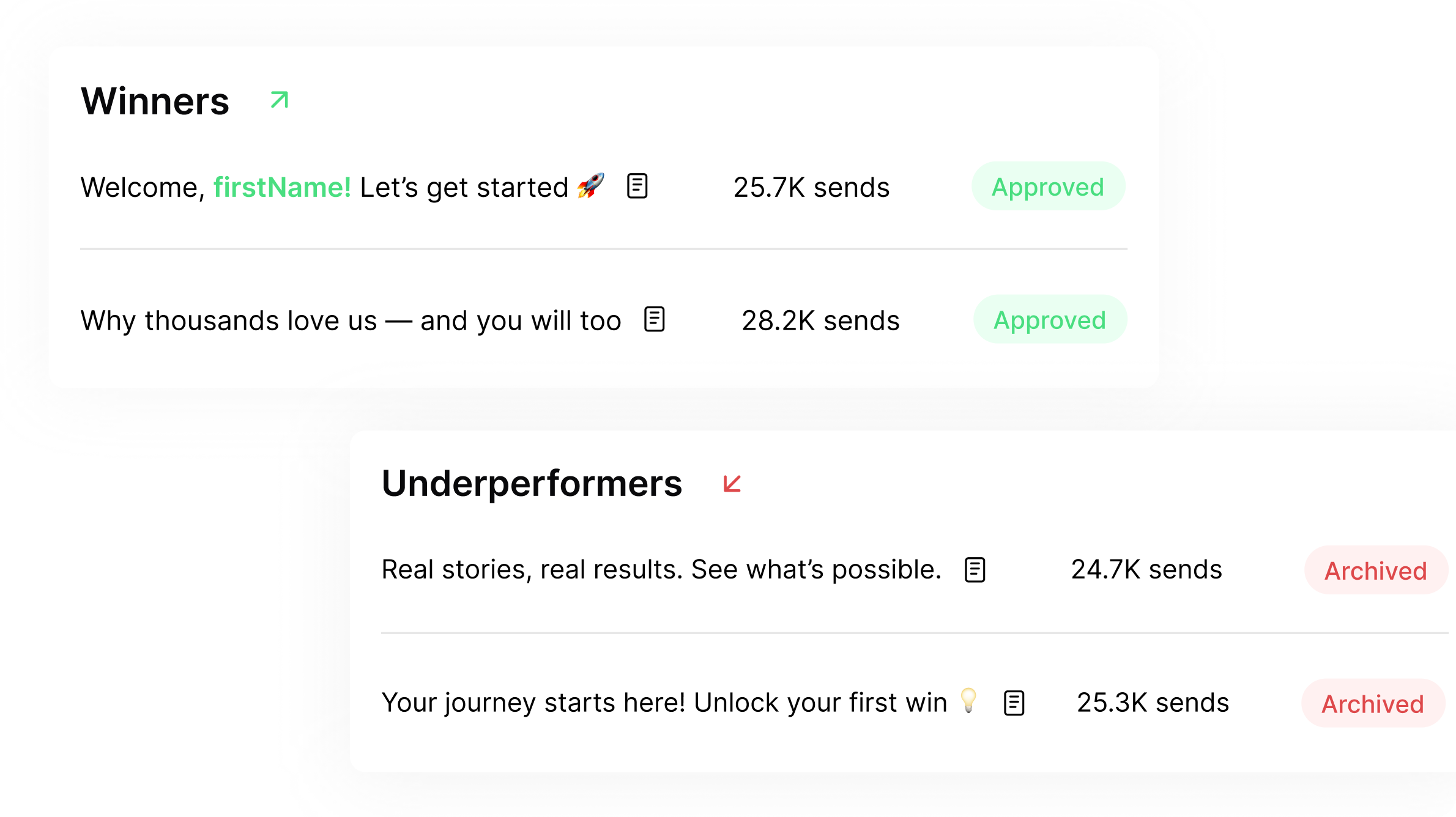
Section titled “4) Review Message-Level Performance”At the bottom of the page, you’ll see a summary of each message included in the flow.
For every message, you can view:
- Aggregated metrics
- Winning variants
- Underperforming variants
This section gives you a clear snapshot of what’s working and what’s not across your campaign.
With that, your flow is complete. You now have a centralized view of performance across messages and channels, making it easier to spot trends, extract learnings, and optimize the entire journey.