
Customer.io
Set up Customer.io → JustAI data ingestion so JustAI can measure performance (send/open/click/conversion) and power downstream workflows. This is one-time setup - all templates will share this configuration.
What Ingress Includes
Section titled “What Ingress Includes”JustAI ingests Customer.io reporting events via Reporting Webhooks. This provides the core metrics needed for analysis (opens, clicks, sends, conversions), as well as custom metrics that are important to you.
Before You Start
Section titled “Before You Start”- Confirm which Customer.io workspace (Production vs other) you’re connecting.
- Identify your JustAI org slug (usually your company name in all lower case - feel free to ask us).
- Make sure you have permissions to create API credentials and webhooks in Customer.io.
Template Setup (Webhook Action)
Section titled “Template Setup (Webhook Action)”- In Customer.io, open the campaign workflow and set up your control/treatment split:
- Control: existing message.
- Treatment: a Webhook Action followed by the JustAI message.
- Configure the Webhook Action request:
- Method:
POST - URL:
https://worker.justwords.ai/api/generate/<org_slug> - Headers:
X-Api-Key: <JUSTAI_API_KEY>Content-Type: application/json
- Body: use the payload recommended in JustAI (Template → Integration Settings → Customer.io).
- Method:
- Configure the Response tab:
- Attribute name:
jw_<template_id> - Value:
{{ response.copy | json }}
- Attribute name:
- In JustAI, open the template Integration Settings and set:
- Campaign ID
- Webhook Action ID (and Control Action ID if you use multiple controls)
- Save changes, then use
{{ customer.jw_<template_id> }}values in your Customer.io message.
Reporting Webhook
Section titled “Reporting Webhook”1) Create a Customer.io API Key
Section titled “1) Create a Customer.io API Key”Create an App API key in your Customer.io workspace:
- Navigate to
Workspace settings→API and Webhook Credentials→App APi Keys. - Suggested values:
- Name:
JustAI - Workspace:
Production(or your chosen workspace)
- Name:

2) Save the Customer.io Key in JustAI
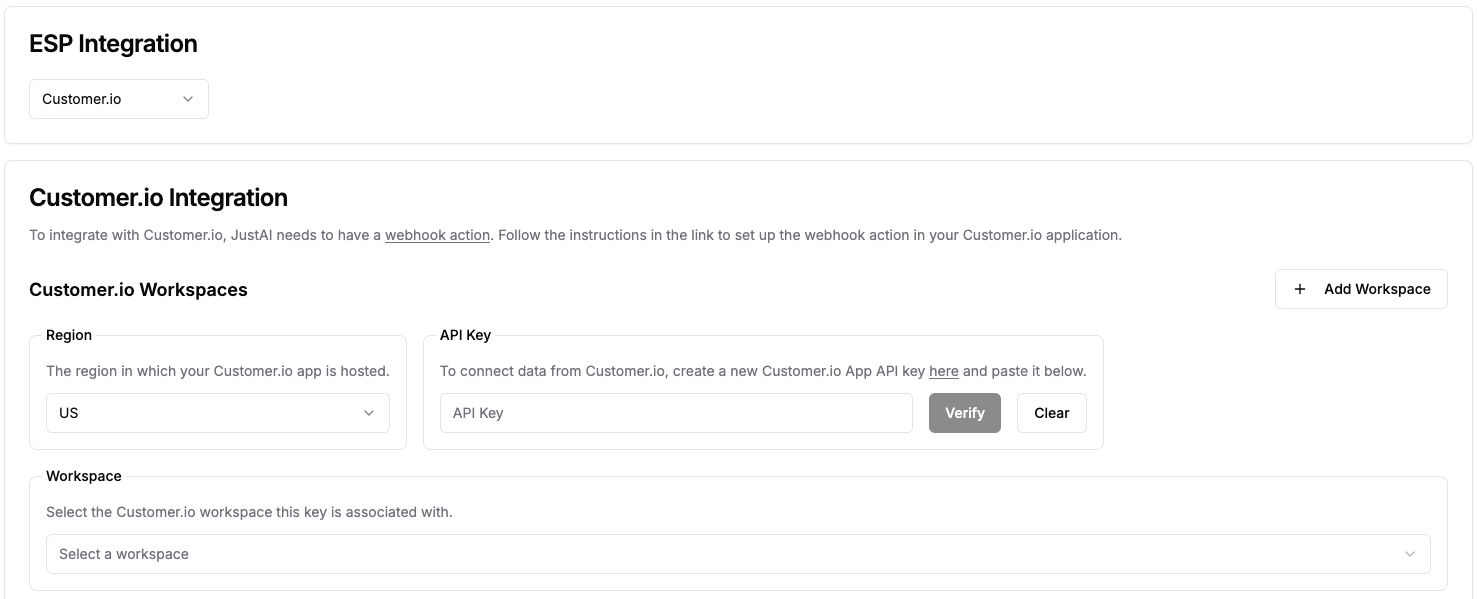
Section titled “2) Save the Customer.io Key in JustAI”In the JustAI console:
- Open Org Integration Settings.
- Select
Customer.ioas the ESP integration. - Choose the appropriate workspace (for example,
Production). - Paste the Customer.io API key and save changes.
3) Create a JustAI API Key
Section titled “3) Create a JustAI API Key”Store the key in a password manager. You’ll typically use this later for Customer.io “Webhook Action” calls.
4) Create a Reporting Webhook in Customer.io
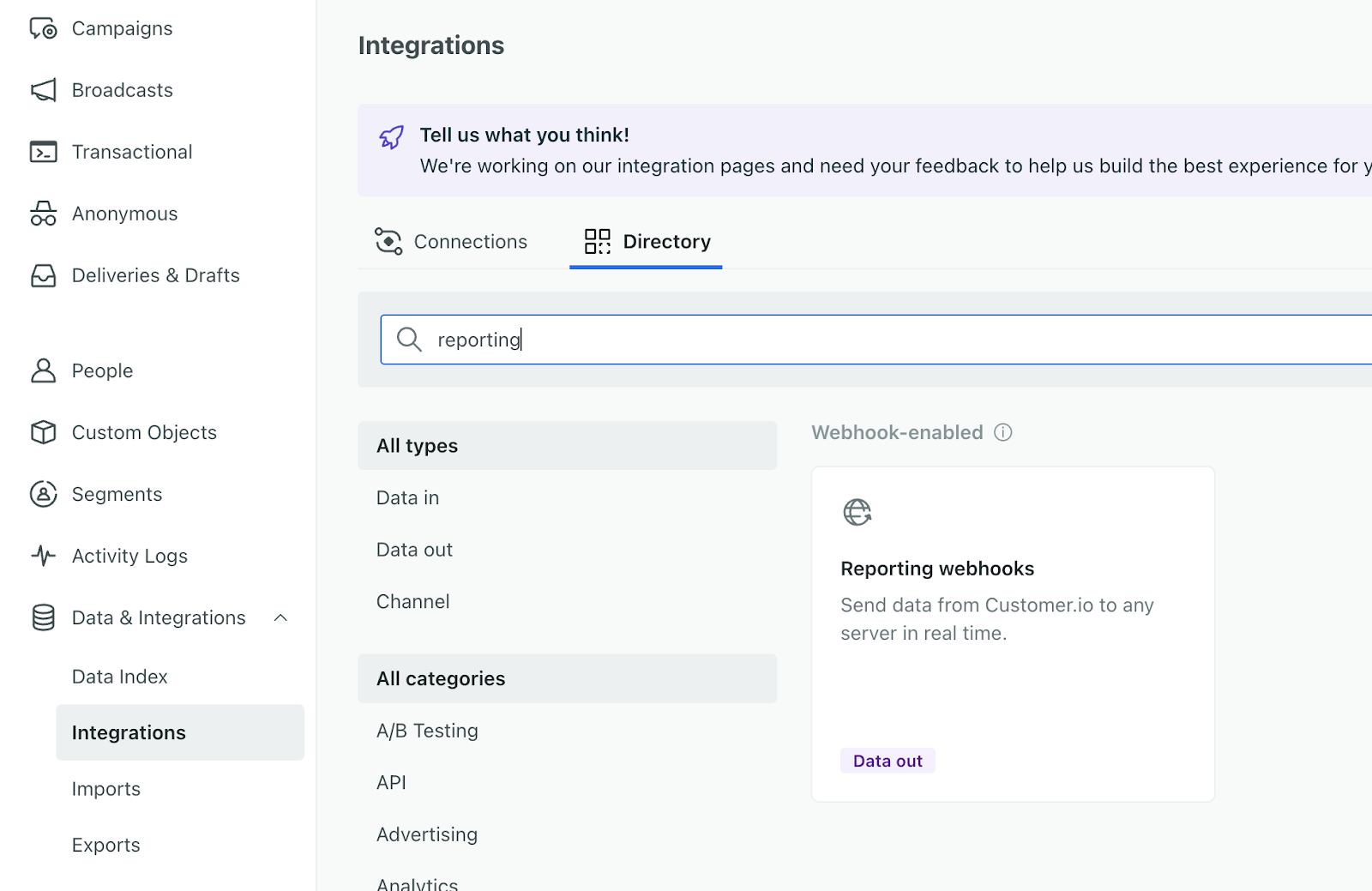
Section titled “4) Create a Reporting Webhook in Customer.io”In Customer.io, create a new Reporting Webhook:
- Go to
Data & Integrations→Integrations→Add Integration→Reporting Webhook. - Fill out the form:
- Webhook Name:
JustAI - Endpoint:
https://worker.justwords.ai/api/webhook/cio/<org_slug>- Replace
<org_slug>with your org’s name.
- Replace
- Events: select the events you want JustAI to ingest (start with send/open/click/conversion).
- Options:
Send only the first time the event occurs.
- Webhook Name:
- Press
SaveandEnable Webhook.
Custom Events
Section titled “Custom Events”Customer.io conversion metrics are tied to a campaign. If you need additional metrics, you can send custom events to JustAI for correlation with message sends within a time window.
Options:
- Daily batch ingestion via S3 (write data to a shared S3 bucket).
- Streaming ingestion via a JustAI events webhook API (similar shape to the Customer.io webhook endpoint above).
Please reach out to our team if you need to add custom events and we can help you integrate them.
Troubleshooting
Section titled “Troubleshooting”- Webhook never fires: confirm the Reporting Webhook is enabled in Customer.io and the endpoint is correct (including
<org_slug>). - No events arriving: confirm you selected the relevant events and that you are sending emails/triggering events in the correct workspace.
- Credentials issues: re-check which Customer.io workspace you created the API key in, and that the same workspace is selected in JustAI.